All Courses
×
iHUB IIT R

Data Analytics Course

84,801 Ratings

Rated #1 Data Analyst Course by Economic Times

  • Master Excel, SQL, Python, Power BI, GenAI, RAG & Agentic AI
  • Build Dashboards, Analytics Pipelines & AI-Powered Workflows
  • Work on 10+ Industry Grade Projects & Hands-on Exercises
  • Earn a Prestigious Advanced Data Analytics Certification from iHUB, IIT Roorkee
course intro video image
Course Introduction

Watch

Course Preview

Key Highlights

50+ Live sessions across 7 months
218 Hrs of Self-paced tutorial videos
AI Assisted Coding for Data Analysis
Learn from Industry Professionals and IIT Faculty
1-on-1 sessions with industry mentors
Placement Assistance with 3,100+ Hiring Partners
2 Days Campus immersion at iHub, IIT Roorkee
24*7 Support
Intellipaat Google Reviews 3109
sitejabber 1
Mouthshut

Online Data Analytics Course Overview

What does this Data Analytics program cover?

The program follows an AI-first learning path that connects analytics fundamentals with modern business tools and workflows.

  • Module 1: AI-first analytics foundations and business problem-solving
  • Module 2: Advanced Excel, Power Query and automated MIS reporting
  • Module 3: SQL for data preparation and business analytics
  • Module 4: Python 3.11+, APIs and analytics automation
  • Module 5: Statistics, EDA, hypothesis testing and A/B testing
  • Module 6: Power BI, DAX and Microsoft Copilot
  • Module 7: Generative AI, OpenAI APIs, LangChain and RAG
  • Module 8: Agentic AI, analytics agents, n8n and workflow automation

Organizations rely on analysts to convert operational data into clear reports, reliable KPIs and practical recommendations. Data analytics skills are used across finance, marketing, sales, product, operations, healthcare, retail and technology, making the field suitable for both fresh graduates and working professionals.

  • Clean, transform and validate business data
  • Write SQL queries for customer, product and revenue analysis
  • Automate analysis using Python and APIs
  • Apply statistics and experimentation to business decisions
  • Build interactive Power BI dashboards and DAX measures
  • Use Generative AI for formulas, queries, code and insights
  • Create basic RAG applications and analytics agents
  • Automate recurring analytics workflows using n8n

A Data Analyst collects, cleans, analyzes and presents data to support business decisions. Typical responsibilities include preparing datasets, tracking KPIs, building reports and dashboards, identifying trends, testing assumptions and communicating recommendations to stakeholders.

  • Fresh graduates seeking entry-level analytics roles
  • Working professionals moving into data or business analytics
  • Excel users who want to learn SQL, Python and Power BI
  • Business, finance, marketing, sales and operations professionals
  • Analysts who want to add Generative AI and automation skills

No advanced programming experience is required. Basic computer knowledge, logical thinking and an interest in working with data are sufficient to begin.

Role Primary Focus Core Skills
Data Analyst Cleans, analyzes and interprets data to identify trends and support decisions. Excel, SQL, Python, statistics and visualization
BI Analyst Builds dashboards, semantic models and recurring business reports. Power BI, DAX, Power Query, SQL and data modeling

Business Analyst Translates business requirements into process improvements, KPIs and recommendations. Requirements analysis, KPIs, Excel, SQL and communication
  • Learn core analytics tools in one structured program.
  • Progress from reporting and SQL to AI-assisted analytics and automation.
  • Work on business-focused datasets instead of isolated tool exercises.
  • Build a portfolio across retail, finance, travel, healthcare and digital services.
  • Practice responsible validation of AI-generated formulas, queries, code and insights.
  • Prepare for data analyst, BI analyst, reporting analyst and business analyst roles.
View More

Talk To Us

We are happy to help you 24/7

Data Analytics Career Transition

55% Average Salary Hike

$1,22,000 Highest Salary

40 LPA Highest Salary

10000+ Career Transitions

3100+ Hiring Partners

Career Transition Handbook

*Past record is no guarantee of future job prospects

Meet the Data Analytics Mentors

What are the different job roles that I can apply for after this course?

Data Analyst

Prepare, analyze and visualize data to support business decisions.

Business Intelligence Analyst

Build dashboards, DAX measures and recurring performance reports.

Reporting Analyst

Create automated MIS reports, KPI trackers and management summaries.

Business Analyst

Translate business needs into analytical questions, metrics and recommendations.

Marketing Analyst

Measure campaign, funnel, acquisition and conversion performance.

Product Analyst

Analyze activation, engagement, retention and feature adoption.

Junior Analytics Automation Specialist

Use Python, APIs and workflow tools to automate recurring analytics tasks.

Operations Analyst

Track service levels, demand, productivity and process performance.

View More

15+ Skills to Master

Data Cleaning

Advanced Excel

Power Query

SQL

Python

EDA

Statistics

Power BI

DAX

Data Modeling

KPI Analysis

AI Analytics

Prompt Engineering

RAG

Agentic AI

n8n Automation

Data Storytelling

Stakeholder Communication

View More

15+ Tools to Master

Adv Excel SQL python 1 jupyter 3 numpy 2 pandas matplotlib plotly Power BI Microsoft 365 Copilot chatgpt GitHub Copilot OpenAI API Langchain n8n 1 git GitHub Power Query

Data Analyst Course Fees

Online Classroom Preferred

Weekend (Sat-Sun)

08 Aug 2026 08:00 PM - 11:00 PM
Weekend (Sat-Sun)

08 Aug 2026 10:00 AM - 01:00 PM
Weekday (Tue-Fri)

11 Aug 2026 07:00 AM - 09:00 AM
₹70,053 10% OFF Expires in

EMI Starts at

₹5,000

We partnered with financing companies to provide very competitive finance options at 0% interest rate

Financing Partners

EMI Partner

The credit facility is provided by a third-party financing company and any arrangement with such financing companies is outside Intellipaat’s purview.

Corporate Training

  • Customized Learning
  • Enterprise Grade Learning Management System (LMS)
  • 24x7 Support
  • Enterprise Grade Reporting

Contact Us

Data Analytics Syllabus

Live Course Self-Paced Industry Expert

Module 1: AI-First Data Analytics Foundations

Understand how modern analytics teams use data, business context and AI-assisted tools to solve real-world problems.

  • Data Analytics lifecycle
  • Industry applications of Data Analytics
  • Structured, semi-structured and unstructured data
  • Databases, data warehouses and data lakes
  • ETL and ELT fundamentals
  • Roles of Data Analysts, BI Analysts and Business Analysts
  • Translating business problems into analytical questions
  • Understanding business requirements and KPIs
  • Python, Jupyter Notebook and VS Code setup
  • Git and GitHub fundamentals
  • Using ChatGPT and GitHub Copilot for analytics
  • Validating AI-generated formulas, queries and insights
  • Responsible use of AI in analytics
  • AI-Assisted Analysis of a Business Dataset
Download Brochure

Transform raw operational data into automated reports, MIS dashboards and actionable business insights.

Microsoft Excel & advanced topics

  • Excel tables and structured references
  • Named ranges
  • IF, IFS and IFERROR
  • SUMIFS, COUNTIFS and AVERAGEIFS
  • XLOOKUP and INDEX-MATCH
  • FILTER, SORT and UNIQUE
  • Date, text and numerical functions
  • Data validation and error identification
  • Pivot Tables and Pivot Charts
  • Calculated fields

Power Query

  • Importing data from multiple sources
  • Cleaning and transforming business data
  • Merging and appending datasets
  • Unpivoting datasets
  • Folder-based data consolidation
  • Creating refreshable reporting workflows

AI-Assisted Reporting

  • Generating Excel formulas using AI
  • AI-assisted data cleaning
  • Automated insight summaries
  • Microsoft Copilot awareness
  • Validating AI-generated outputs

Hands-on Project: Automated Monthly Sales and MIS Performance Report

Download Brochure

Build strong SQL skills to retrieve, clean, transform and analyse business data.

SQL Foundations

  • Relational databases
  • Tables, keys and relationships
  • Database-normalisation fundamentals
  • Filtering, sorting and aggregations
  • Joins and set operations
  • Subqueries
  • Common Table Expressions
  • Window functions
  • Date, text and numerical functions
  • Views and reusable analytical queries

Data Preparation

  • Handling duplicate records
  • Identifying missing and inconsistent values
  • Data-quality validation using SQL
  • Creating analysis-ready datasets
  • SQL-based feature creation
  • Customer, product and transaction data preparation

Business Analytics Using SQL

  • Revenue and profitability analysis
  • Customer purchase behaviour
  • Sales-funnel analysis
  • Product-performance analysis
  • Customer segmentation using SQL
  • Conversion and retention metrics
  • Query execution plans
  • SQL query-optimisation fundamentals
  • Connecting SQL with Python and Power BI
  • AI-assisted SQL generation and validation

Hands-on Project: E-commerce Customer, Product and Revenue Analytics

Download Brochure

Use modern Python to clean data, perform analysis and automate recurring analytics workflows.

Python Foundations

  • Variables and data types
  • Data structures
  • Conditional statements
  • Loops and functions
  • Clean and modular programming
  • Python 3.11+ features
  • Type hints and reusable functions
  • Error handling and debugging

Data Analytics Using Python

  • NumPy for numerical analysis
  • Pandas for data manipulation
  • Filtering, joining and grouping datasets
  • Aggregations and pivot operations
  • Missing-value treatment
  • Duplicate identification
  • Outlier detection and treatment
  • Working with CSV, Excel and JSON
  • Exploratory Data Analysis
  • Matplotlib and Plotly visualisation

Automation and APIs

  • Connecting to APIs
  • Collecting external data
  • Automating recurring reports
  • Creating reusable analytics scripts
  • Logging and exception handling
  • Data validation fundamentals
  • Streamlit application awareness
  • AI-assisted code generation
  • AI-assisted debugging and refactoring
  • Validating AI-generated code

Hands-on Project: Automated Business Data-Cleaning and Analytics Pipeline

Download Brochure

Use statistical reasoning and experimentation to validate insights and support data-driven decisions.

Statistics Fundamentals

  • Descriptive statistics, central tendency, dispersion, percentiles and quartiles
  • Distributions, outliers, skewness, variability, correlation and covariance
  • Probability, conditional probability and sampling fundamentals
  • Central Limit Theorem and confidence intervals for business analysis

Hypothesis Testing

  • Formulating null and alternative hypotheses
  • Z-test, T-test, Chi-square test and ANOVA fundamentals
  • P-values, statistical significance and effect-size interpretation
  • Evaluating both statistical and business significance

EDA & Business Experimentation

  • Univariate, bivariate and multivariate exploratory analysis
  • Missing-value, outlier and data-leakage diagnosis
  • A/B testing, control groups and sample-size awareness
  • AI-assisted EDA, automated insights and stakeholder communication

Hands-on Project

Product Conversion & Customer Engagement A/B Test — Analyse experiment results, validate conversion impact and present data-backed business recommendations.

Download Brochure

Build interactive dashboards and use analytics to solve finance, marketing, sales, product and operational problems.

Power Query in Power BI

  • Connect to Excel, CSV files and databases
  • Profile, clean and transform raw data
  • Merge, append and organise multiple datasets
  • Build refreshable queries and manage dependencies

Data Modelling

  • Create fact and dimension tables
  • Build star-schema data models
  • Manage relationships, cardinality and filter direction
  • Create date tables, hierarchies, measures and calculated columns

DAX

  • Use SUM, COUNT, DISTINCTCOUNT, CALCULATE and FILTER
  • Apply ALL, REMOVEFILTERS, DIVIDE, iterators and variables
  • Build YTD, MTD and previous-period calculations
  • Analyse growth, variance, targets and rolling averages

Dashboard Development

  • Create KPI cards, tables, matrices and business charts
  • Add slicers, filters, drill-throughs and tooltips
  • Use bookmarks, conditional formatting and interactive navigation
  • Design executive and mobile-friendly dashboards

Power BI Service

  • Publish and manage reports through workspaces
  • Configure scheduled refresh, sharing and permissions
  • Apply row-level security for controlled data access
  • Use AI-assisted DAX and AI-generated report summaries
Download Brochure

Explore how Generative AI can accelerate data analysis, automate business insights and enable intelligent interactions with organisational data.

  • Generative AI, LLM fundamentals, tokens, context windows and model limitations
  • Zero-shot, few-shot and structured prompting with reusable templates and JSON outputs
  • AI-assisted SQL, Python, DAX, EDA, visualisation and executive-summary generation
  • OpenAI API integration, function calling, secure API-key management and cost optimisation
  • LangChain, document loading, chunking, embeddings, vector databases and RAG fundamentals
  • Citation-backed responses, hallucination testing, groundedness, privacy and Responsible AI

Hands-on Exercise: Create a basic AI analytics assistant that answers questions from a business document or dataset.

Download Brochure

Understand how AI agents can use data, tools and automated workflows to complete multi-step analytics tasks.

  • AI agents, chatbots and copilots with planner, executor, tools and memory
  • Task decomposition, iterative execution, function calling and intelligent tool selection
  • SQL, Python and file-based analytics agents using LangChain fundamentals
  • CrewAI, multi-agent systems, n8n and Power Automate workflow automation
  • Trigger-based reporting, automated data collection, insight distribution and human approvals
  • Error handling, guardrails, tracing, evaluation, cost and performance optimisation

Hands-on Exercise: Design a basic analytics workflow that collects data, generates insights and prepares an automated business report.

Download Brochure

Electives

  • Spark architecture, DataFrames, data loading, cleaning, joins & SQL for analytics
  • EDA, optimize large datasets, data manipulation, data visualizations, & data pipeline
Download Brochure
View More

Data Analytics Projects

Career Services

Career Services
guaranteed
Placement assistance after successful course completion
job portal
Job-readiness support for analytics roles
Mock interview preparation
One-on-one career mentoring sessions
resume 1
Access to career-oriented sessions and job-search guidance
linkedin 1
Resume and LinkedIn profile support
View More
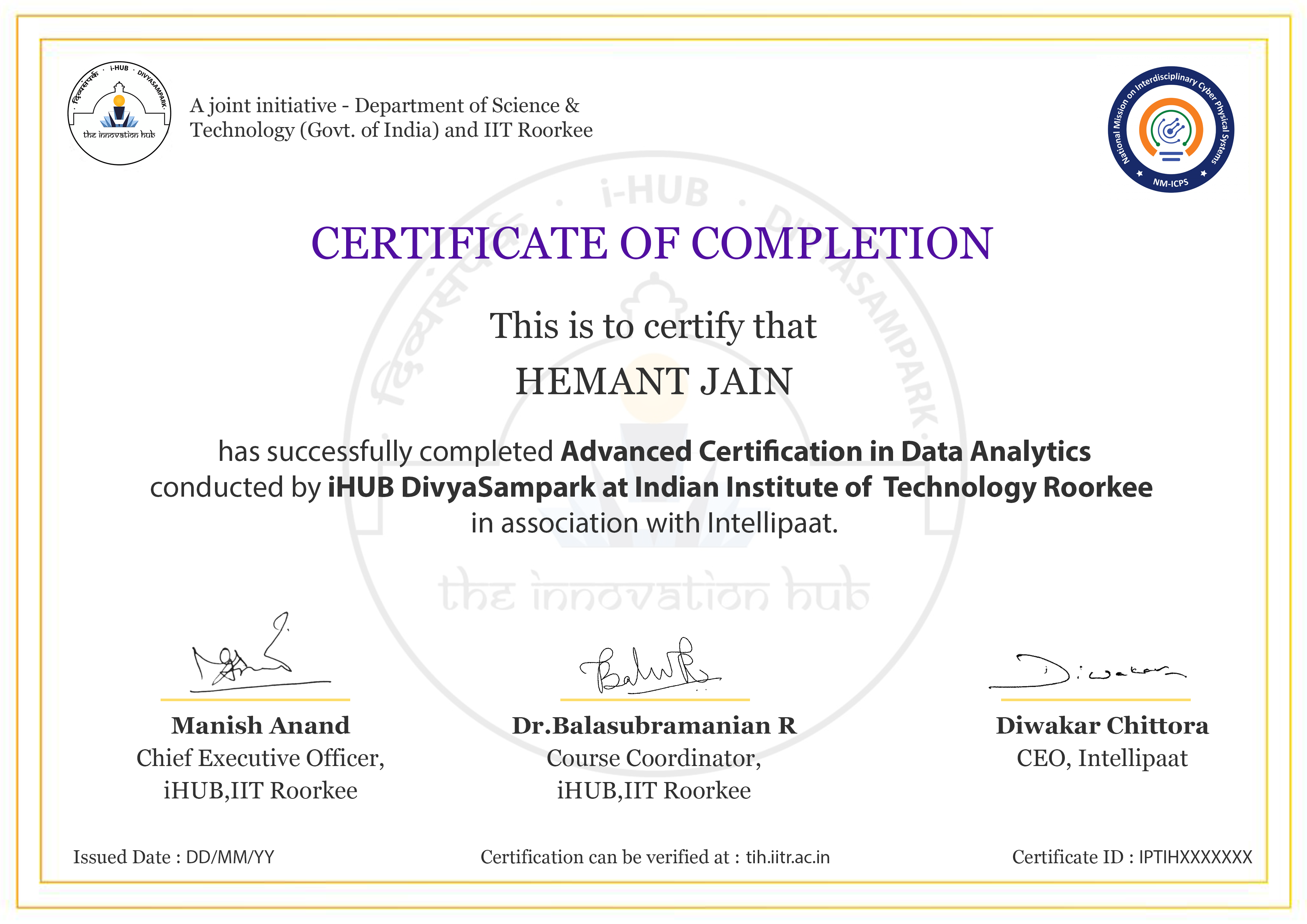
Advanced Certification in Data Analytics Image Click to Zoom

ACP Data Analytics Certification

Earn the Advanced Certification Program in Data Analytics credential from iHUB IIT Roorkee after completing the required modules, assessments and projects. The program validates practical skills across Excel, SQL, Python, statistics, Power BI, Generative AI, RAG and analytics automation.

  • Build a portfolio of industry-aligned projects
  • Demonstrate end-to-end analytics skills
  • Showcase AI-assisted reporting and automation capabilities

Data Analyst Learners Reviews

(84,801)

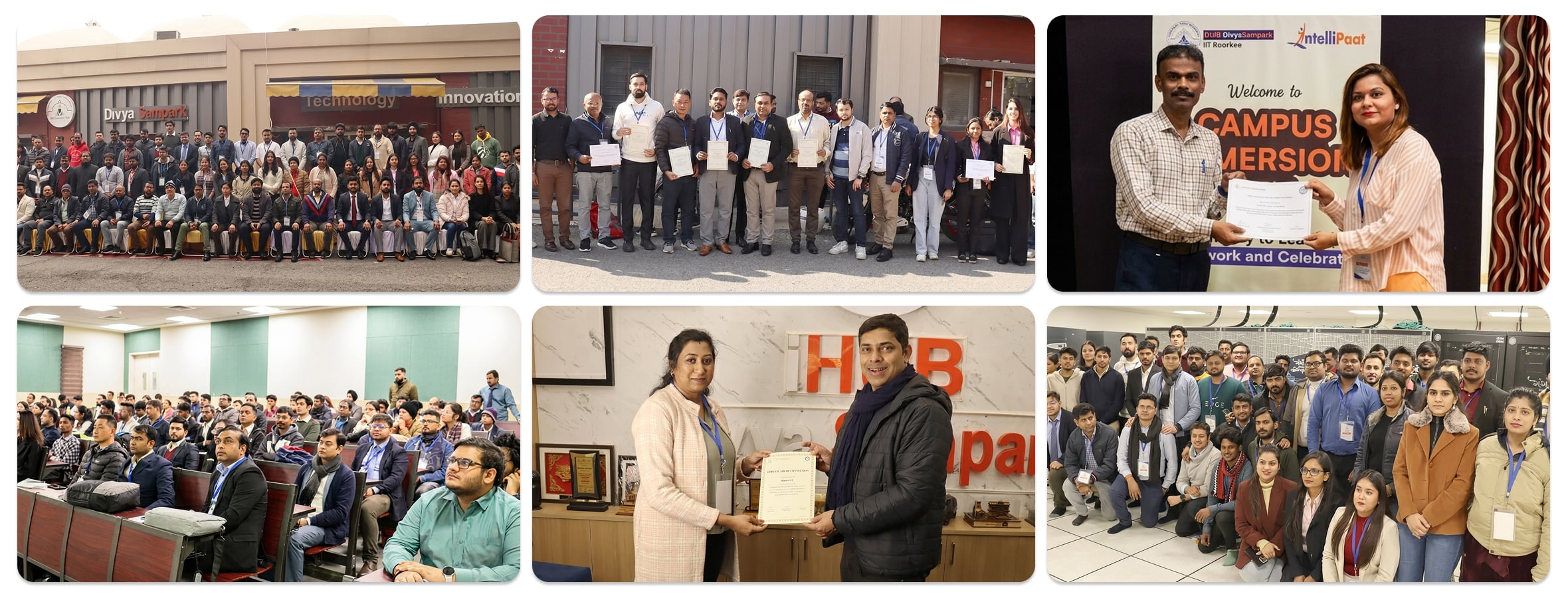
Experience Campus Immersion at iHub IIT Roorkee & Build Formidable Networks With Peers & IIT Faculty

Campus Immersion at iHub IIT Roorkee Desktop Image

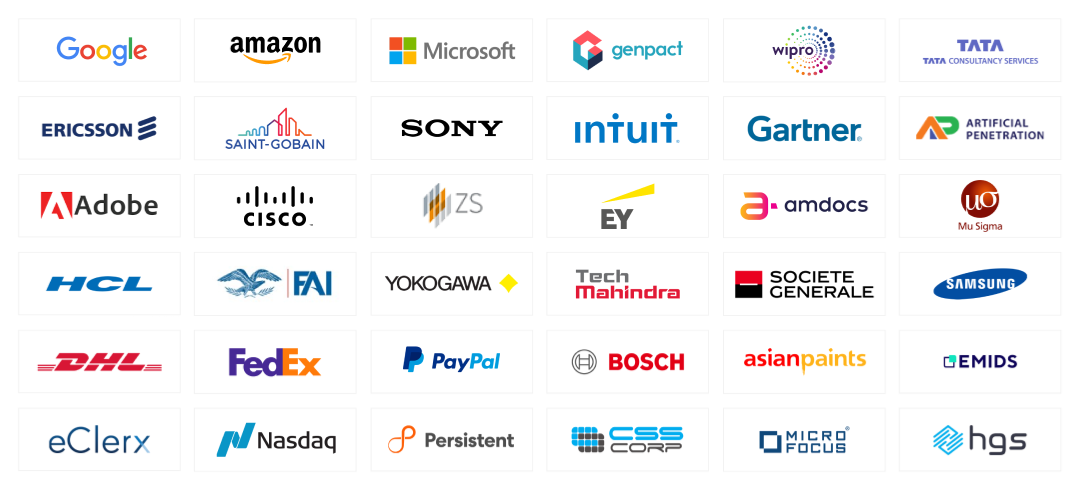
Land Your Dream Job Like Our Alumni

Hiring Partners

Frequently Asked Questions

What is the total duration of the core curriculum?

The eight core modules include 128 hours of live learning, along with hands-on exercises and industry-aligned projects.

The program covers Excel, Power Query, SQL, Python, Jupyter Notebook, Power BI, ChatGPT, GitHub Copilot, OpenAI APIs, LangChain, n8n and GitHub.

Yes. Learners use Generative AI for formulas, SQL, Python, DAX, EDA, summaries and basic analytics assistants.

Yes. The curriculum introduces analytics agents, tool use, task decomposition, n8n workflows, human approvals and guardrails.

The program includes 10 industry-aligned projects across retail, travel, healthcare, fintech, hospitality, marketing and service operations.

Yes. R Programming and Big Data & Spark are available as self-paced electives.

Relevant roles include Data Analyst, BI Analyst, Reporting Analyst, Business Analyst, Marketing Analyst, Product Analyst and Operations Analyst.

Yes. The Power BI module covers Power Query, data modeling, DAX, dashboards, Power BI Service, security and AI-assisted reporting.

Yes. The course covers descriptive statistics, probability, confidence intervals, hypothesis testing, effect size, EDA and A/B testing.

Yes. The structured learning path is suitable for graduates and working professionals from technical or non-technical backgrounds.

Learners validate AI-generated outputs and study groundedness, hallucinations, privacy, secure API usage, guardrails and controlled execution.

Learners must complete the required modules, assessments and projects according to the program guidelines.

View More