

































All Courses
×
iHUB IIT R

Executive Post Graduate Certification in UI UX Design with Generative AI and Agentic AI

7,225 Ratings

Learn from IIT Faculty & Industry Experts with Guaranteed Job Interviews.
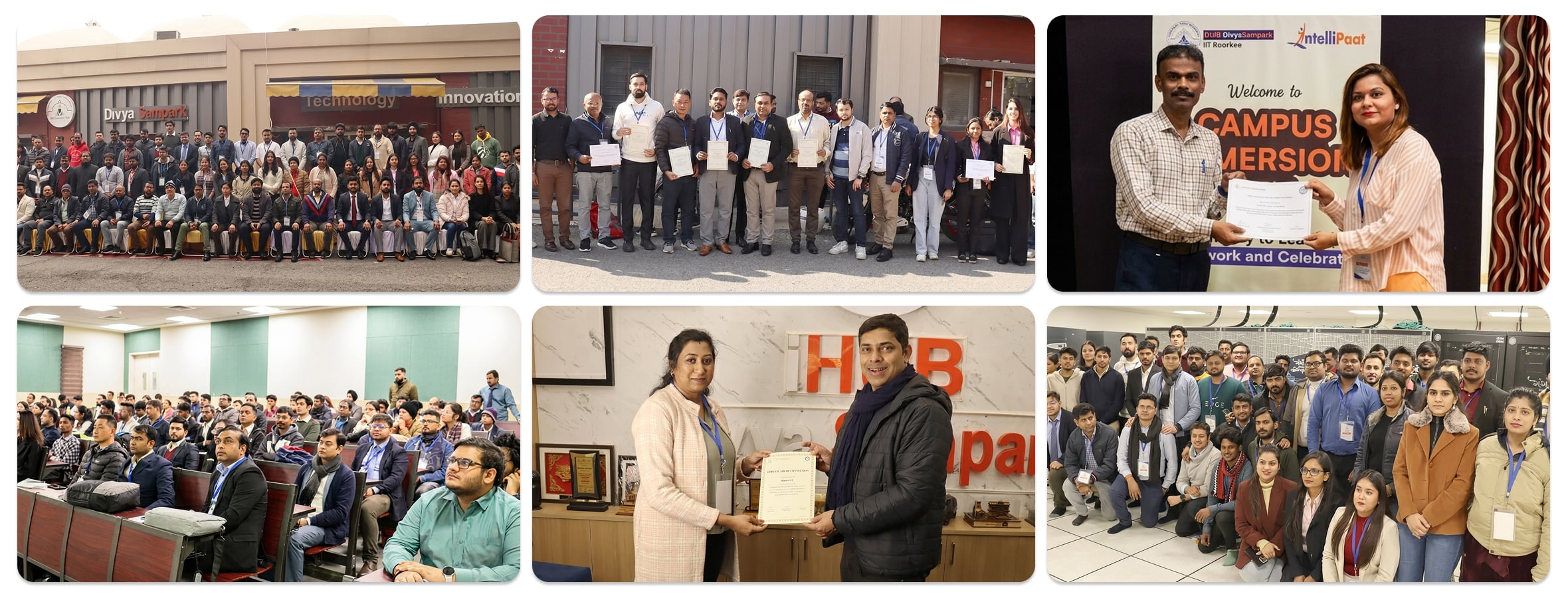
Campus Immersion at iHUB, IIT Roorkee.
  • Master essential UI/UX design skills such as user interface design, user experience strategies, and design thinking.
  • Learn from IIT Faculty & Industry Experts
  • 2 Days Campus Immersion at iHUB, IIT Roorkee
  • Earn a chance to win a fellowship of Rs. 80,000 and incubation support of up to Rs. 50 Lakhs for your startup from iHUB DivyaSampark.
Apply Now Download Brochure
course intro video image
Course Introduction

Watch

Course Preview

Learning Format

Online Bootcamp

Live Classes

6 Months

Executive PG

Certification

Career Services

by Intellipaat

3100+

Hiring Partners

EMI Starts

at ₹6999/month*

Google-Reviews 8933
sitejabber 1764
mouthshut 27734

About Program

Those interested in making a successful career transition to UI/UX design or growing in the field will be provided with comprehensive training in this advanced certification course. The course curriculum was carefully prepared by the team at iHUB DivyaSampark & Industry Experts to include all the cutting-edge skills that you will need. You will start with the basics and move to advanced techniques that will make you industry ready by the end of the course.Read More

Key Highlights

250 Hrs of Applied Learning
50+ Live sessions across 6 months
Learn from IIT Faculty & Industry Practitioners
50+ Industry Projects & Case Studies
One-on-One with Industry Mentors
24*7 Support
Dedicated Learning Management Team
Designed for Working Professionals & Freshers
1:1 Mock Interview
No-Cost EMI Option
iHub Divya Sampark - IIT Roorkee Certification
2 Days Campus Immersion at iHUB, IIT Roorkee
3 Guaranteed Interviews upon movement to Placement Pool
Free Career Counselling
Up to Rs. 50 Lakhs startup Incubation Support*

About iHUB DivyaSampark, IIT Roorkee

iHUB DivyaSampark at IIT Roorkee, established under the National Mission on Interdisciplinary Cyber-Physical Systems (NM-ICPS) by the Department of Science and Technology (DST), focuses on fostering innovation in advanced technologies such as AI, ML, and more. The hub plays a pivotal role in technology development, incubation, and startups, particularly in areas like Healthcare,Read More..

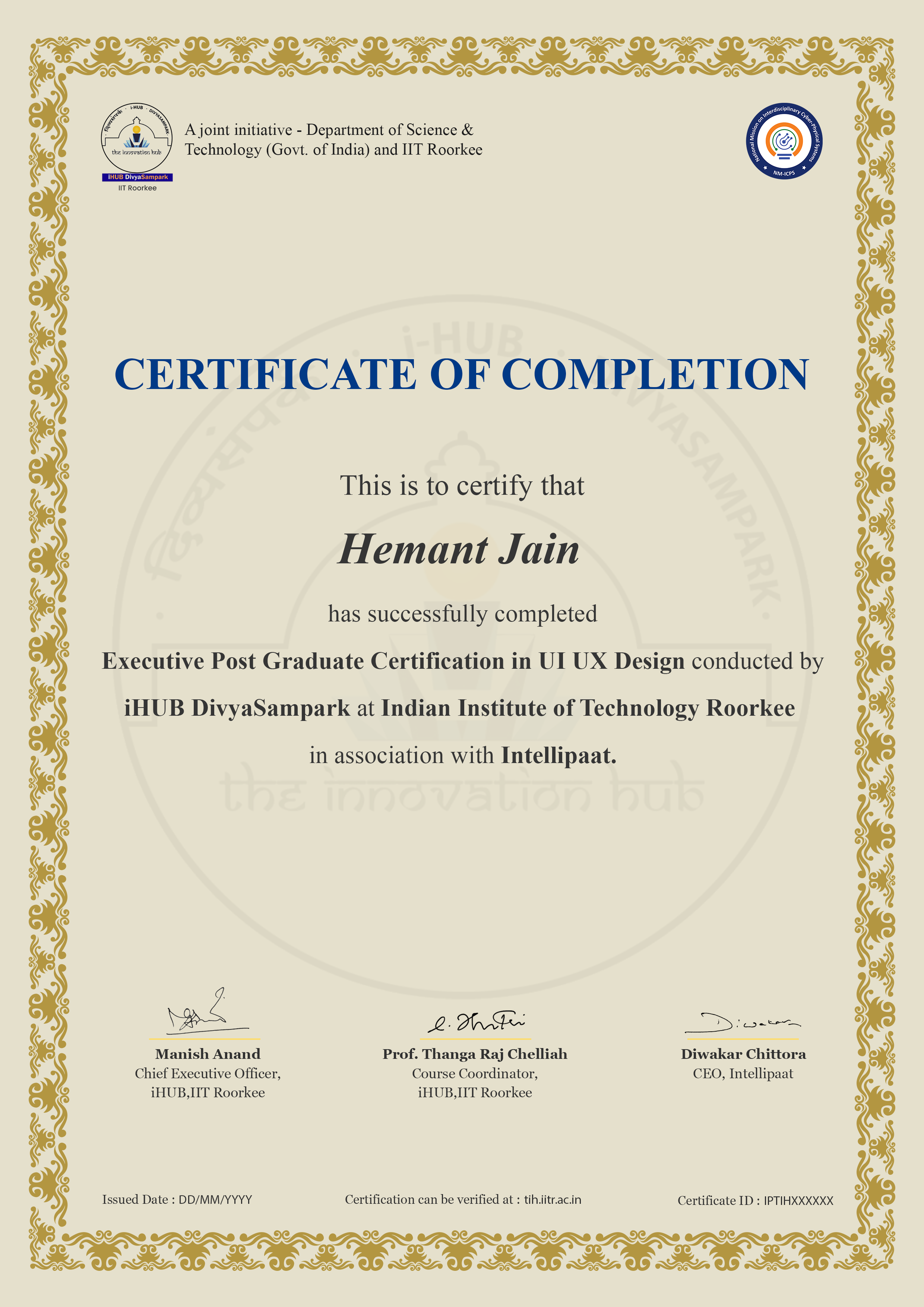
Upon the completion of this programme, you will receive:

  • Executive Post Graduate Certification in UI UX Design Strategy by IHub DivyaSampark IIT Roorkee
Executive Post Graduate Certification in UI UX Design Click to Zoom

Career Transition

55% Average Salary Hike

$1,20,000 Highest Salary

45 LPA Highest Salary

12000+ Career Transitions

3100+ Hiring Partners

Career Transition Handbook

*Past record is no guarantee of future job prospects

Who Can apply for this programme?

  • Non-tech with a bachelor’s degree
  • Professionals with a bachelor’s degree
  • Freshers willing to build career in UI UX
  • Anyone aspiring to pursue UX UI Design
who can apply

What roles can a UX UI Designer play?

UX Designer

The UX designer is mostly responsible for prototypes and other designs. The design procedures should be carried out such that the finished goods are user-friendly.

UI Designer

UI designers are responsible for new product designs. These designs involve the heavy use of visual components. UI designers are in charge of the overall layout of products, the colour scheme, the animations, and other visual components.

Product Designer

Product designers are in charge of a product’s user experience, which from a product management perspective is frequently geared towards corporate goals and objectives.

Visual Designer

Visual designers handle the aesthetics of websites, web pages, and other digital products. They improve these services’ user interfaces.

UX Researcher

UX researchers undertake systematic research on their target users in order to gather and assess information that will help in the product design process.

UX Manager

UX managers oversee the junior and mid-level members of the UX team and make sure that all requirements are met.

View More

Skills to Master

UI Design

Animation

Wireflow

Wireframing

Iconography

Prototyping

Figma

HTML & CSS

View More

Tools to Master

Figma 1 Fig Jam Figma Dev Mode Behance 2 Notion Maze Fillout framer x chatgpt Claude Google Stitch Relume Lovable Uizard Spline Jitter Rotato Photopea

Meet Your Mentors

Curriculum

Live Course

Phase 0: Pre-Sessions

  • UI, UX and product design: roles and career roadmap, incl. AI/conversation designer and design engineer
  • How companies hire designers in 2026
  • What makes a strong AI-era portfolio
  • Good vs bad UX: audits of Swiggy, Zomato, Amazon and PhonePe
  • Compare an AI-generated app audit with your own audit
  • User pain points, journey mapping and problem statements
  • First wireframes and first Figma screen
Download Brochure

Phase 1: Design Foundations

  • Figma interface, files, pages and frames
  • Raster vs vector images
  • Shapes, vector networks and boolean operations
  • Masks, gradients, fills and effects
  • Auto layout basics
  • Components and instances (introduction)
  • Plugins and keyboard shortcuts
  • Figma AI features: layer renaming, content fill, first-draft layouts
Download Brochure
  • Gestalt principles of design
  • Balance, contrast, emphasis and unity
  • Alignment, proportion and white space
  • Visual hierarchy
  • Typography: type scales, pairing and readability
  • Colour in UI: palettes, contrast and semantic colour
  • Grids and spacing systems (8-pt grid)
  • Generating colour palettes and type pairings with AI
  • Critiquing AI-generated screens against design principles
  • Style tile + annotated critique of 3 AI-generated screens
Download Brochure
  • Project thumbnails and cover pages
  • Compositions with illustration and typography
  • Device mockups and dynamic posters
  • Image generation for assets and mockups
  • Licensing, copyright and ethics of AI imagery
Download Brochure

Phase 2: Product and UX Process

  • UI vs UX vs product design
  • A day in the life of a product designer
  • Design roles: UI, UX, researcher, product, AI/conversation designer, design engineer
  • Agile, Scrum and Waterfall: where design fits
  • Design system fundamentals
  • How AI has changed design-team workflows
  • What AI automates vs where human judgement matters
Download Brochure
  • Solving problems with UI/UX: real examples
  • The design thinking process
  • Double Diamond model
  • Writing problem statements and How-Might-We questions
  • Case study walkthroughs
  • Measuring design impact: HEART framework and north-star metrics
  • Introduction to UX research and choosing the right method
  • Stress-testing problem statements and surfacing assumptions with AI
Download Brochure

Phase 3: AI-Powered Research, Ideation & Intelligent UX

  • Research planning
  • User interviews
  • UX surveys
  • Field studies and contextual inquiry
  • Stakeholder interviews
  • Examples of well-conducted primary research
  • Drafting discussion guides and transcribing interviews with AI
  • AI synthesis and how to validate it (invented quotes, bias, over-generalisation)
  • Limits of ‘synthetic users’
  • Writing a UX research report
Download Brochure
  • Competitive analysis
  • Persona creation
  • Empathy maps
  • User flows
  • Customer journey maps
  • User stories: poor vs better examples
  • Information architecture
  • Card sorting
  • Tree testing
  • Heuristic evaluation (Nielsen’s 10 heuristics)
  • AI-assisted competitor scans
  • AI heuristic review compared with a human review
Download Brochure
  • Brainstorming and mind mapping
  • Sketching basics: observation and perspective
  • SCAMPER and creative visualisation
  • Crazy 8s
  • Affinity mapping
  • AI-powered concept generation
  • Divergence with AI: 50 concepts in an hour
  • Converging: evaluation criteria and prioritisation
  • Conversational interface design
  • Intelligent interaction design
  • AI trust and transparency
  • Human control in AI-powered experiences
Download Brochure

Phase 4: UI/UX Design with AI-Native Prototyping

  • Atomic design principle
  • UI elements and components
  • UI design principles
  • The 5 levels of UI design skill
  • Low-fidelity wireframes
  • Mid-fidelity wireframes
  • High-fidelity designs
  • Prompt-to-UI with Google Stitch, Figma Make and Uizard
  • Refining AI-generated UI by hand
  • When not to use AI
Download Brochure
  • Common UX patterns: navigation, onboarding, forms, search, empty and error states
  • Laws of UX with examples (Fitts, Hick, Jakob, Miller, Tesler)
  • Principles of good UX design
  • Interaction design process
  • Microinteractions and feedback
  • Generating pattern variants with AI and judging them against Laws of UX
  • Annotated interaction spec
Download Brochure
  • Advanced auto layout
  • Variants and interactive components
  • Variables and modes (light/dark, themes)
  • Responsive design: constraints and breakpoints
  • Prototyping: flows, transitions and smart animate
  • Microinteractions and animation
  • Dev Mode basics
  • AI-assisted prototyping and generating interaction states
Download Brochure

Phase 5: Design Systems, Accessibility and Quality

  • Style guides vs design systems
  • Material Design, Apple HIG and other systems
  • Design tokens: colour, type, spacing and radius
  • Variables as tokens in Figma
  • Component documentation: usage, variants, do’s and don’ts
  • Developer handoff with Dev Mode
  • Documenting a system so AI tools generate on-brand UI
  • Design-to-code handoff via Figma MCP
Download Brochure
  • Introduction to inclusive design
  • Three types of accessibility issues: permanent, temporary, situational
  • WCAG 2.2: perceivable, operable, understandable, robust
  • Colour contrast, focus states, touch targets and screen readers
  • iOS Accessibility: VoiceOver, Dynamic Type, Touch Targets, and Switch Control
  • Android Accessibility: TalkBack, Font Scaling, Touch Targets, and Switch Access
  • Creating an accessibility sheet
  • AI-Powered Accessibility Audits and Their Limitations
Download Brochure
  • Introduction to usability evaluation
  • Moderated vs unmoderated testing
  • Quantitative vs qualitative evaluation
  • User load: cognitive, motor and visual
  • Conducting a usability study with Maze
  • A/B testing: hypothesis, variants and experiment design
  • Product analytics: funnels, retention and key metrics
  • UX metrics: task success, completion time, error rate and satisfaction
  • AI-generated test scripts and analysis of session recordings
Download Brochure

Phase 6: Designing AI Products

  • How LLMs behave, for designers: probabilistic output, hallucination, latency
  • AI interaction models: chat, inline copilot, suggestions, generative UI
  • Streaming and loading states
  • Showing confidence and uncertainty
  • Citations, sources and verifiability
  • Error recovery: regenerate, edit and retry
  • Feedback loops: ratings and corrections
  • Onboarding and setting expectations
  • Privacy, bias and responsible AI design
  • Teardown of real AI products and how they handle failure
Download Brochure
  • What agents are, from a design view: plan, act, observe
  • Levels of autonomy
  • Human-in-the-loop: approvals and checkpoints
  • Plan previews and progress visibility
  • Undo, rollback and activity logs
  • Permissions and scopes
  • UX for multi-step and long-running tasks
  • Agent behaviour maps and state handling
  • Multi-agent patterns from the user’s view: planner, generator, critic
  • Safety, trust and ethics
  • Prototyping an agent flow with AI tools
Download Brochure
  • UX writing fundamentals
  • Microcopy: buttons, errors and empty states
  • Voice and tone guidelines
  • Conversation design: flows, turns and fallbacks
  • System prompts as a design material
  • Writing simple rubrics to evaluate AI output (evals)
  • Conversation spec + prompt + rubric
Download Brochure

Phase 7: Design-to-Code

  • How the web works, for designers
  • HTML structure and semantics
  • CSS: box model, typography and colour
  • Flexbox and grid
  • Responsive design and breakpoints
  • Mapping Figma components to code
  • Using AI to explain and edit generated code
Download Brochure
  • Vibe coding: what it is and its limits
  • From design to app with Figma Make and Lovable
  • Working in Cursor or Claude Code
  • Adding simple data and forms
  • Reviewing and fixing AI-generated code
  • Version basics with Git and GitHub
  • Deploying to a live URL
  • Building sites with Framer
  • Collaborating with engineers
Download Brochure

Phase 8: Career

  • What hiring managers look for in 2026
  • Online vs offline portfolios
  • Case study structure and best practices
  • Showing designer decisions vs AI-generated work
  • Creating a portfolio on Behance
  • Building a portfolio site on Framer
Download Brochure
  • Industry scenarios
  • Working with product managers
  • Working with engineers
  • Managing business stakeholders
  • Presenting and defending design decisions
  • Using AI to prepare stakeholder briefs and anticipate objections
Download Brochure
  • The design interview process
  • Portfolio walkthrough practice
  • App critique rounds
  • Whiteboard and design challenges
  • AI-tool take-home assignments
  • Demo interviews
  • Industry tips and tricks
Download Brochure

Electives

  • Fundamentals of HCI
  • AR, VR, XR and MR: technologies and interaction models
  • Principles of spatial interfaces
  • Prototype an AR/VR experience concept
Download Brochure
  • Motion principles for UI
  • Animating with Jitter
  • 3D elements with Spline
  • Product renders with Rotato
Download Brochure
  • Voice UX basics
  • Conversation design for voice
  • Testing a voice flow
Download Brochure
View More
Disclaimer
Intellipaat reserves the right to update the curriculum based on industry and employability needs.

Program Highlights

50+ Live sessions across 6 months
50+ Industry Projects & Case Studies
1:1 Mock Interview
24*7 Support

Student's Portfolio

Wealth AI

AI-powered investing for modern investors, everywhere.

View Case Study
Claro New

A decision-intelligence app that turns analysis paralysis into confident decisions.

View Case Study
calmora logo

Your personal space for calm, clarity and emotional balance

View Case Study

Career Services By Intellipaat

Career Services
guaranteed
3 Guaranteed Interviews
job portal
Exclusive access to Intellipaat Job portal
Mock Interview Preparation
1 on 1 Career Mentoring Sessions
resume 1
Career Oriented Sessions
linkedin 1
Resume & LinkedIn Profile Building
View More

Experience Campus Immersion at iHub IIT Roorkee & Build Formidable Networks With Peers & IIT Faculty

Campus Immersion at iHub IIT Roorkee Desktop Image

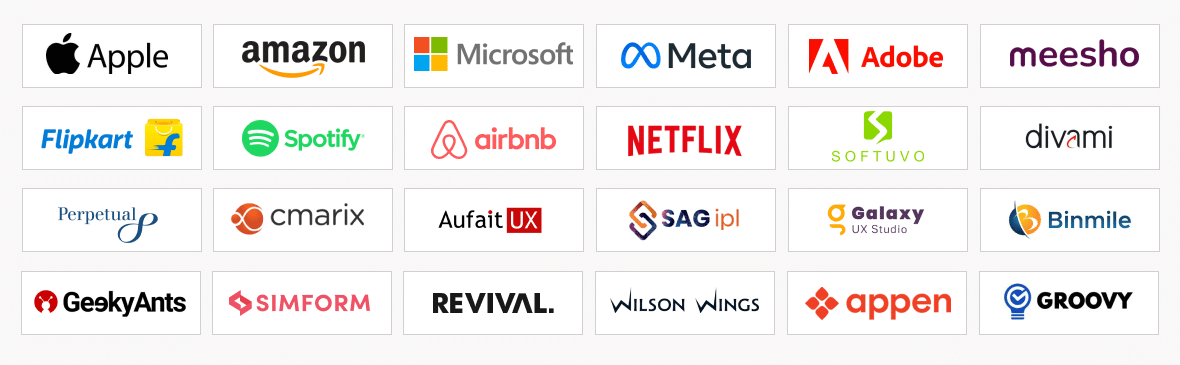
Our Alumni Works At

Alumni Image UI UX

Admission Details

The application process consists of three simple steps. An offer of admission will be made to selected candidates based on the feedback from the interview panel. The selected candidates will be notified over email and phone, and they can block their seats through the payment of the admission fee.

ad submit

Submit Application

Tell us a bit about yourself and why you want to join this program

ad review

Application Review

An admission panel will shortlist candidates based on their application

ad admission 1

Admission

Selected candidates will be notified within 1–2 weeks

Program Fee

Total Admission Fee

₹ 1,29,048 (Inclusive of All)

Apply Now

EMI Starts at

₹ 6,999

We partnered with financing companies to provide very competitive finance options at 0% interest rate

Financing Partners

dk-fee-emi-logo

The credit facility is provided by a third-party financing company and any arrangement with such financing companies is outside.

Upcoming Application Deadline 17th Oct 2026

Admissions close once the required number of students is enrolled for the upcoming cohort. Apply early to secure your seat.

Program Cohorts

Next Cohorts

Next Cohorts

Date Time Batch Type
Program Induction 17th Oct 2026 08:00 PM - 11:00 PM IST Weekend (Sat-Sun)
Regular Classes 17th Oct 2026 08:00 PM - 11:00 PM IST Weekend (Sat-Sun)
Apply Now

Frequently Asked Questions

What is UI UX design and what is the difference between UI and UX?

UI design is concerned with user interfaces, as the name suggests. These designs are created for sites, software, applications, and more. UX design is concerned with the experience of the design, as the name suggests. The user experience is enhanced by improving the usability, desirability, and usefulness of the site or product.

While UI design is exclusively used for digital sites or items, UX design is used for both tangible and digital things. In a nutshell, UI emphasises form while UX emphasises function.

Career services are not the responsibility of iHUB DivyaSampak IIT Roorkee. All students registered for this course receive career services from Intellipaat, including guaranteed interviews.

No. Prior coding experience is not needed for UI UX design and aspirants with any skill and educational background can apply for this course.

A skillful UI UX professional is someone with strong design thinking skills,  a keen sense of using the right colour palette and good aethetics, research on good user experiences, and an understanding of simple-to-use user interfaces. In light of these of these factors, the course has been created to assist you in acquiring all the skills required in the field of UI and UX design.

You will be taught by industry experts and IIT faculty.

In the unlikely event that you miss a live session, you will still be able to benefit from the class’s recording, which will be available within the next 12 hours. Our customer service representatives are available around-the-clock if you have any problems.

It is advised that you dedicate a minimum 6-8 hours a week for this programme.

This advanced certification programme is conducted online for 6 months led by multiple live instructor-led sessions.

iHUB DivyaSampark, IIT Roorkee is not responsible for the career services. Career services will be offered by Intellipaat upon the completion of the programme.

From each batch, 2 candidates may get a fellowship of upto Rs. 80,000. Candidates will have to meet certain performance criteria to get selected. The selection of candidates who receive the fellowship will be at the discretion of the iHUB DivyaSampark, IIT Roorkee team. All the students will be informed about the performance criteria during the tenure of the programme.

All candidates who apply for this course will be eligible to receive an equity based seed funding and incubation support for their startup from iHUB DivyaSampark, IIT Roorkee. Candidates who enroll will get the chance to pitch their ideas to the iHUB DivyaSampark team. Ideas that get shortlisted may receive funding up to Rs. 50 Lakh and incubation support for their startup.

To be eligible for getting into the placement pool, the learner has to complete the course along with the submission of all projects and assignments. After this, he/she has to clear the PRT (Placement Readiness Test) to get into the placement pool and get access to our job portal as well as the career mentoring sessions.

Please note that the course fees is non-refundable and we will be at every step with you for your upskilling and professional growth needs.

Due to any reason you want to defer the batch or restart the classes in a new batch then you need to send the batch defer request on [email protected] and only 1 time batch defer request is allowed without any additional cost.

Learner can request for batch deferral to any of the cohorts starting in the next 3-6 months from the start date of the initial batch in which the student was originally enrolled for. Batch deferral requests are accepted only once but you should not have completed more than 20% of the program. If you want to defer the batch 2nd time then you need to pay batch defer fees which is equal to 10% of the total course fees paid for the program + Taxes.

Yes, Intellipaat certification is highly recognized in the industry. Our alumni work in more than 10,000 corporations and startups, which is a testament that our programs are industry-aligned and well-recognized. Additionally, the Intellipaat program is in partnership with the National Skill Development Corporation (NSDC), which further validates its credibility. Learners will get an NSDC certificate along with Intellipaat certificate for the programs they enroll in.

The total duration of the program is 6 months and out of which 2 months will be for project work.

View More

What is included in this course?

  • Non-biased career guidance
  • Counselling based on your skills and preference
  • No repetitive calls, only as per convenience
  • Rigorous curriculum designed by industry experts
  • Complete this program while you work